Liene Photo
- 3.9
- Rating
- 100.00K
- Installs
- Free
- Price

 Analysis by App-foxy
I first looked at Liene Photo as the sort of photography app that might make sense on a shared phone or a small household device. Its presentation is simple, and that can be useful when several people want to print, prepare, or handle pictures without learning a complicated editing system first. After spending time with it, my view is that its strongest quality is approachability rather than a huge collection of advanced creative tools.
The app comes from Hannto Technology and is available free of charge. It sits in the photography category, has an Everyone content rating, and supports devices running Android 7.0 or later. That broad compatibility makes it easier to consider for an older spare phone or tablet, which is exactly the kind of device families often use for shared photos, school projects, travel snapshots, or a compact home printing setup.
How Liene Photo fits into a shared household
When I think about Liene Photo in a shared household, I focus less on who owns the phone and more on how everyone can take part without losing track of the original image. A simple turn-taking routine can make choosing and preparing a picture feel collaborative rather than chaotic. That practical question leads naturally to the next section: what its straightforward approach offers, and where it asks users to bring a little care of their own.
You May Also Like

 Pandora - Music & Podcasts
Pandora’s Music Is Easy to Start, but Harder to Recover
Pandora’s strength is its low-effort path from a seed to a station. Its weak spot is how much confidence it asks you to place in connection, setup, and quiet recovery.

 8 Ball Pool
 Is Built on Rivalries, Rematches, and Routine
A close look at the rivalries, rematches, shared routines, and unanswered safety questions that turn a quick pool match into a persistent mobile community.

 Samsung Music
’s Quiet Strength Is Playing What You Already Own
Its reach comes less from spectacle than from dependable access to a personal library. That simplicity is both the app’s strongest retention engine and its ceiling.

 AccuWeather: Weather Radar
AccuWeather Review: A Quick, Clear Forecast for Everyday Decisions
For everyday plans, the best forecast is the one you can understand quickly. AccuWeather makes rain timing, radar, and local conditions easy to act on, with a few trade-offs.

 Hill Climb Racing
Why Hill Climb Racing Still Turns Crashes Into One More Run
A tiny car, a bumpy hill and one more upgrade: Hill Climb Racing keeps resurfacing because its simple chaos makes every near-miss feel personal.

 AliExpress - Shopping App
AliExpress Makes Global Shopping Feel Personal, but Shoppers Bear the Risk
AliExpress turns a global marketplace into a pocket-sized discovery engine. Its reach is useful, its shopping loop compelling, and its trade-offs easy to miss.
More From Our News Desk
View All News


A practical role for a common phone
In a household, photography apps are rarely used by only one person in a perfectly controlled workflow. One person may take the picture, another may choose which image to keep, and someone else may want to prepare it for a small print or send it onward. Liene Photo feels better suited to that informal handoff than to a professional editing desk. I can imagine leaving it on a family tablet, using it when everyone is gathered around a table, and letting each person make a quick decision without passing through a maze of panels.
A realistic example would be a weekend outing. I might return with several similar pictures, open the app on a shared device, and ask another family member to help choose the most natural one. The useful part is not just opening the image; it is having a dedicated place where the photo task stays separate from messaging, social feeds, and unrelated apps. That separation can make a shared-device routine calmer, especially when the goal is simply to select and prepare a picture.
There is also a small but important trade-off here. A shared device is convenient, but it does not automatically create separate personal spaces. I would not treat the app as a family photo archive with carefully separated identities. If several people use the same phone, I would first agree on where images should be saved and who is responsible for clearing unwanted copies. That simple habit prevents the camera roll from becoming a confusing mixture of everyone’s pictures.
What the simple approach does well
My first impression was that Liene Photo is less intimidating than a full editor. Many mainstream photography apps are designed around filters, social sharing, and increasingly elaborate creative controls. Those options can be enjoyable, but they also make a quick household task feel larger than it needs to be. Here, the appeal is having a more focused experience for people who want to work with photos without turning every image into a project.
This makes it a reasonable choice for someone who is comfortable taking pictures but does not enjoy learning editing software. It can also suit a relative who wants to participate in choosing images but finds professional-style interfaces too dense. I would still spend a few minutes showing the basic flow before handing over the device. Simple does not mean every control will be obvious to a first-time user, particularly on a smaller screen.
The app’s store summary, “Let Inspiration Enrich New Era,” is more poetic than practical, so I would not use that phrase to decide whether it suits you. The more useful description is that this is a free photography tool from Hannto Technology with a broad, everyday audience. Its value depends on whether you want a straightforward photo experience rather than a large editing suite.
Setting boundaries before other people use it
When I install an app on a shared phone, I think about boundaries before appearance. I want to know which photos are safe to show, which images should remain private, and whether another user might accidentally change or remove something important. Liene Photo should therefore be introduced as a tool for selected household pictures, not as a place to hand over unrestricted access to a personal gallery.
My practical approach would be to create a small working batch first. I would copy or select only the images needed for the current task, rather than opening the entire camera roll in front of everyone. That is especially useful when a child wants to choose a picture, when guests are looking at a shared device, or when the phone contains work and personal images alongside family photos.
I would also keep the original image untouched until the result is checked. Even when an app appears easy to use, a shared workflow increases the chance that somebody taps the wrong option or assumes a preview is the final file. Keeping an original copy gives the household room to experiment without turning a minor mistake into a lost memory.
Another useful boundary is deciding who handles the final action. One person can choose the image, another can suggest a crop or adjustment, and the device owner can confirm the finished result. This is not a special family feature; it is simply a sensible routine for any app used by several people. It reduces accidental changes while still allowing everyone to take part.
Coordinating photos without making the app the family organizer
Liene Photo can support coordination, but I would not confuse coordination with account management. The app gives a shared device a common workspace, yet a workspace is not the same thing as separate profiles. If your household needs each person to have an independent library, private settings, or clearly divided ownership, the operating system’s user tools and a dedicated storage service may be a better foundation.
For ordinary cooperation, I would use a spoken naming habit. Before starting, say what the picture is for: a small print, a school project, a message to a relative, or a keepsake. That sounds basic, but it changes how people judge the image. A photo that is fine for a quick message may need a different crop or level of care when it is being prepared for a physical print.
I also found that a shared review works best when people make one decision at a time. First choose the image, then decide whether it needs adjustment, then check the result. Asking several people to edit at once creates confusion, especially if one person is holding the phone and another is giving directions. The app’s approachable nature helps here, but the household still needs a clear turn-taking process.
For a parent or caregiver, that workflow has another benefit: it teaches children that photos are files with different purposes, not just disposable screen images. A child can help compare two pictures, explain why one is better, and learn to leave the original alone. The app can be part of that lesson, although it should not be treated as a substitute for supervision or device-level privacy settings.
Age context and trust
The Everyone rating makes Liene Photo broadly suitable from an age-label perspective, and I can see why a household might consider it for general use. Still, an age rating does not answer every question about trust. It does not tell me whether a particular child understands which pictures are private, whether they know how to avoid overwriting work, or whether they can recognize the difference between a preview and a finished image.
For younger users, I would begin with a small set of non-sensitive pictures and stay nearby. That approach lets the child learn the basic flow while an adult handles anything involving personal documents, family records, or images that should not be shared. Older children may be able to work more independently, but I would still establish a rule that they ask before deleting or replacing anything.
The same advice applies to adults who are less comfortable with technology. A shared photo task should feel collaborative, not like a test. I would explain one action at a time and avoid leaving the person alone with a crowded gallery. The app’s free cost helps make experimentation less risky financially, but the more important protection is preserving the household’s originals and respecting everyone’s privacy.
I would also avoid assuming that every family member wants the same visual result. One person may prefer a natural image, while another may want a stronger creative treatment. In that situation, the best compromise is to save the original, create a separate working version, and compare the two before deciding. This is one of the most useful habits I would carry into any photography workflow, and it matters even more when several people share control of the device.
Where it stands beside familiar photography alternatives
Compared with a standard phone gallery, Liene Photo offers a more intentional place to handle a picture. A gallery is excellent for browsing and quick sharing, but it can become cluttered when the task involves selecting images for a particular purpose. A dedicated photography app can make that activity feel more deliberate, which is valuable on a household device that serves more than one person.
Compared with a large social-photo app, Liene Photo is a better fit when the household does not want the process to revolve around posting, public reactions, or a constant stream of content. I prefer that quieter focus for family pictures. On the other hand, someone who wants extensive filters, layers, retouching, or advanced color work will probably find a specialist editor more satisfying.
It also differs from a cloud photo service. Cloud services are generally the stronger choice for automatic backup, cross-device libraries, and long-term organization. I would use one of those when the main problem is keeping every family member’s pictures synchronized. I would look at Liene Photo when the immediate task is working with a picture on one device in a more focused way.
That distinction is important because no single app solves every household photo problem. Liene Photo may be convenient for a shared activity, but it should not be the only place where meaningful images exist. My preferred setup is to keep originals in a dependable storage location and use the app as part of the preparation or selection process. This protects memories while preserving the app’s practical role.
Small habits that make the experience smoother
One useful tip is to begin with the device in a stable position rather than passing it around immediately. When several people handle a phone at once, accidental taps become more likely. I would place it on a table, let one person operate it, and invite the others to make suggestions. This turns a potentially messy group interaction into a short, understandable workflow.
A second tip is to review the final image at the same size and orientation in which it will be used. A picture that looks fine while zoomed in may feel unbalanced when viewed as a small print or a compact message attachment. I would check the complete composition before approving it, especially if the photo includes several people and important details sit near the edges.
A third insight is that shared use exposes a hidden weakness of simple apps: people may assume that fewer controls mean fewer consequences. That is not always true. A clean interface can encourage quick taps, and quick taps are exactly what cause trouble when the device contains irreplaceable photos. I would slow down at the moments involving saving, replacing, or deleting, even if the rest of the process feels casual.
Finally, I would keep the app and the device’s software reasonably current. Liene Photo is listed at version 2.5.730, and it was released on July 13, 2021. Those details place it in a mature product context rather than a brand-new experiment, but they do not remove the need for normal device maintenance. Before relying on it for a family event, I would test the complete workflow with an unimportant image.
Who should use it, and who should choose something else?
I would recommend Liene Photo to someone who wants a free photography app with an approachable role in everyday picture handling. It is particularly appealing for a household that uses an older compatible Android device, wants to involve several people in choosing images, or prefers a focused experience over a social network or a professional editor.
I would be more cautious about recommending it as the main tool for serious photographers. If your routine depends on detailed retouching, precise color control, non-destructive editing, extensive file management, or a large synchronized library, a dedicated editor or cloud platform will likely serve you better. The same is true if different family members need clearly separated accounts and private workspaces; a shared installation should not be mistaken for that kind of structure.
The app’s audience size gives some reassurance that it is not an obscure one-person experiment: it has more than one hundred thousand installs, along with a 3.9 average from roughly six hundred ratings. I read that as a sign of real everyday interest rather than proof that it will suit every phone or every photography habit. The rating suggests a mixed but workable experience, which matches my own balanced impression: useful when its focused approach fits, less convincing when you expect a complete photo-management system.
My household verdict
After considering it as a shared-device app, I see Liene Photo as a practical middle ground. It is more purposeful than relying only on a gallery, less socially distracting than a feed-based photo service, and easier to approach than a heavyweight editor. The free price and Everyone rating make it easy to try in a family setting, while Android 7.0 support gives it a place on many older devices.
My recommendation comes with one condition: establish ownership and privacy habits before inviting everyone to use it. Keep originals safe, work with selected images, let one person operate the device at a time, and confirm the final result before anything is removed or replaced. Those steps are not glamorous, but they are what make a shared photography workflow dependable.
For my own household, I would keep it as a useful tool for quick photo decisions and cooperative preparation, not as the central archive. The best reason to choose it is its focused, approachable role in everyday photo handling, especially when a family wants to work together on one device. If your needs extend into advanced editing, private accounts, or automatic backup across many devices, I would choose a more specialized alternative instead.
FAQs for Liene Photo
01What is Liene Photo, and what can I use it for?
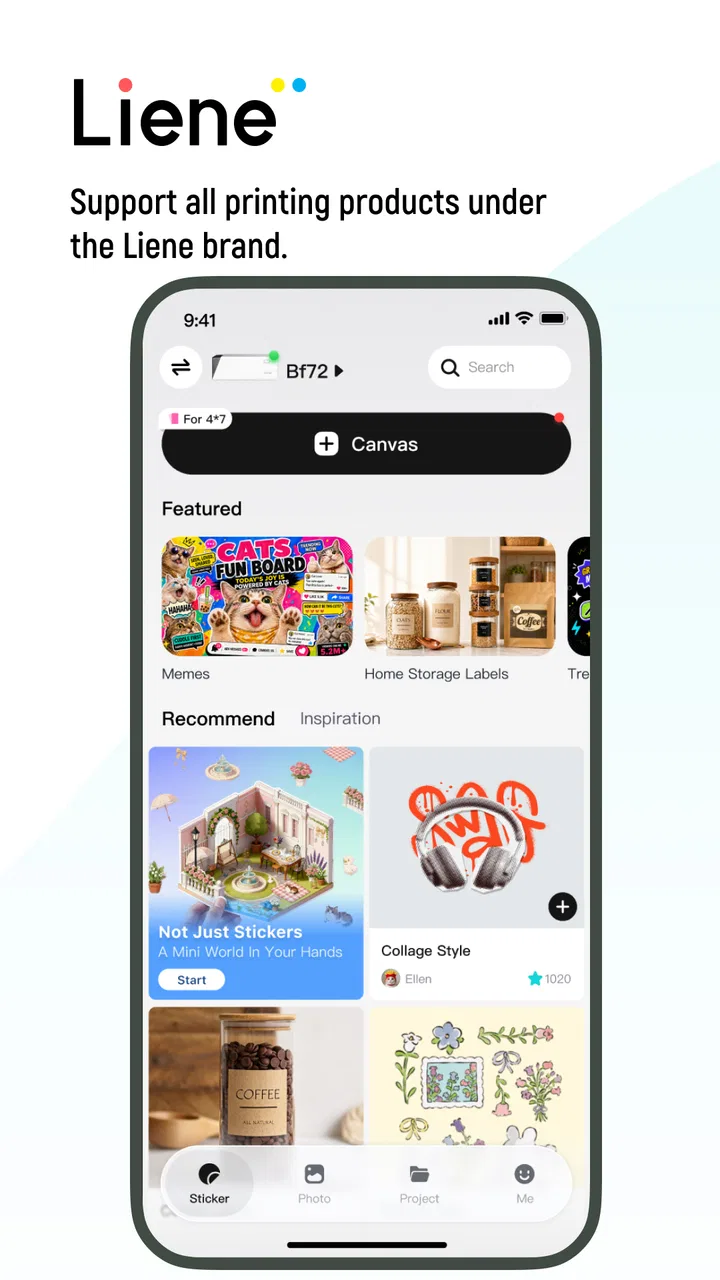
Liene Photo is a companion app designed to work with compatible Liene portable photo printers. After connecting your smartphone to the printer, you can select pictures from your gallery, make basic edits, add templates, stickers, text, or filters, and send the finished design for printing. It is mainly intended for quick, small-format prints rather than advanced professional photo editing.
02Do I need a Liene printer to use the Liene Photo app?
Yes, the app’s main printing features are intended for use with a compatible Liene photo printer. You may be able to open the application and prepare images without connecting a printer, but its practical purpose is to send designs to supported hardware. Before downloading, check the printer model listed in the app description and confirm that your phone and printer are compatible.
03How do I connect Liene Photo to my Android or iPhone?
Connection normally takes place wirelessly, using the method supported by your particular Liene printer. After turning on the printer, open Liene Photo, follow the pairing instructions, and grant the requested permissions for photos and nearby devices or Bluetooth, depending on the platform and model. If the printer is not detected, keep it close to the phone and check that it is charged.
04Can I edit photos before printing them in Liene Photo?
Yes, Liene Photo provides tools for preparing images before they are printed. Depending on the printer model and app version, you can crop or adjust a picture, apply filters, add text, decorations, frames, stickers, or use ready-made layouts. These features are convenient for casual projects, albums, labels, and gifts, although they are not intended to replace a full-featured professional editing application.
05Does Liene Photo require internet access, and is it free to download?
The application is generally available as a free download, but availability and optional features can vary by region, device, and version. Internet access may be needed to download the app, updates, templates, or certain content, while printing from already available photos may work locally after the printer is connected. Review the store listing and privacy permissions before installation, especially if you plan to use cloud-related features.
Pros
- Simple tools make quick photo edits easy for beginners.
- Supports creative collages and layouts for social media posts.
- Filters and effects help give photos a consistent visual style.
- Useful text and decoration options for personalized images.
- Lightweight design makes it suitable for casual
- everyday editing.
Cons
- Some advanced editing controls may be missing for experienced users.
- Certain effects or design elements may require in-app purchases.
- The app may include advertisements during the editing process.
- Export quality and available formats can vary by selected feature.
- Privacy permissions should be reviewed before importing personal photos.

Liene Photo
Gallery